NETGEAR Nighthawk M7 Pro – Staying connected on the move
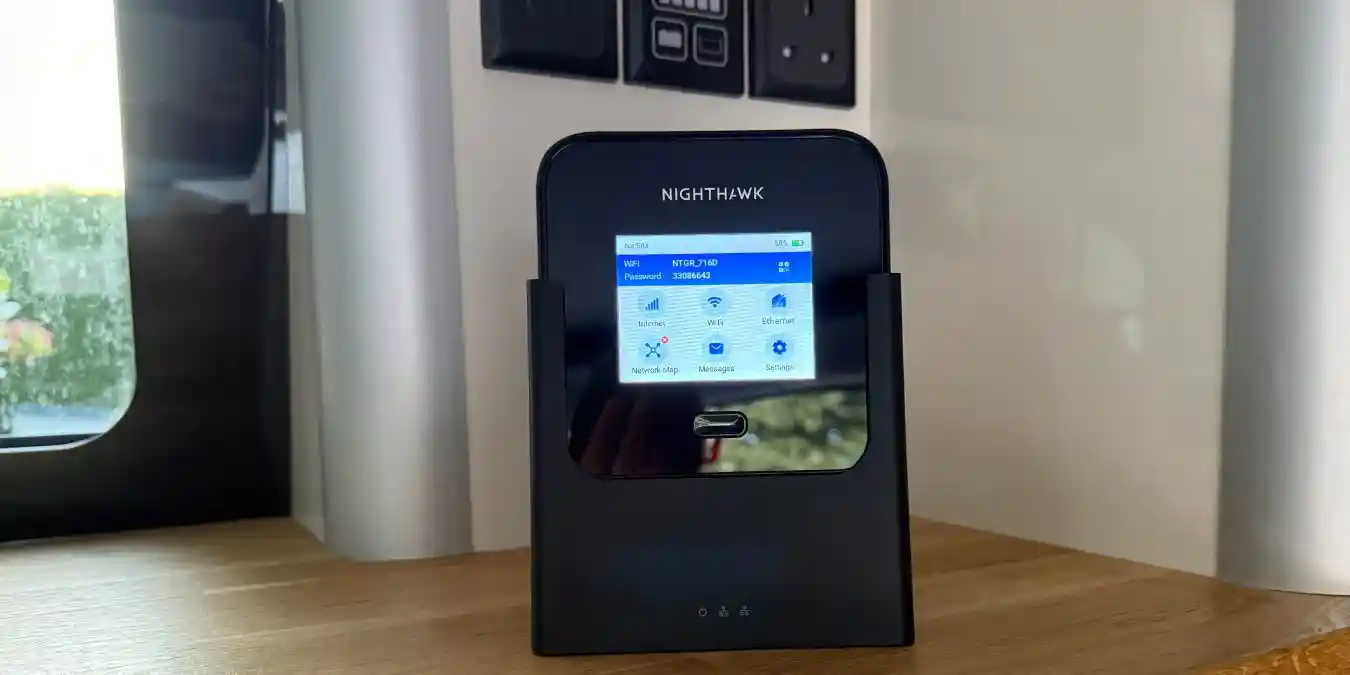
It allows you to connect multiple devices, including laptops, smartphones, tablets, and smart home equipment, to a single 5G or 4G mobile broadband connection, making it an ideal solution for remote working, travel, temporary broadband, or as a reliable backup to fixed-line internet.
The NETGEAR Nighthawk M7 Pro
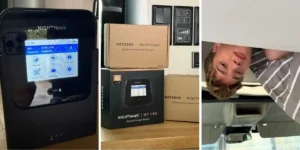
In a Nutshell:
Before we get started, I’m just going to state, for the sake of transparency, that some of the technical information and opinions belong to my husband! I found the set-up of the router easy enough, and it is certainly easy to use, but would I have known about ‘carrier aggregation’ or ‘WiFi 7’ ?
No, I would not.
Lucky for me, I had my hubby on hand to be impressed enough by the spec for the both of us! Truth is though, you don’t really need to know how it does what it does in order to get great use out of it.
Good for: This is great for using in the camper or caravan, if you are wanting to get some work done but still need bandwidth to let the kids connect their devices or the TV etc. My 16 year-old was very impressed with the upgrade, as he’d been getting by hotspotting my phone!
It’s ideal if you:
- work from a motorhome or caravan
- live somewhere with poor fixed broadband
- need backup internet
- regularly upload large files, attend video meetings or stream in 4K.
- Price: £899.99
This is a serious piece of kit. At this price point it’s probably going to appeal to people who need the confidence that they can work as normal, wherever they are, and even if their home broadband goes down.
Product Details
Brand: NetGear
Product: Nighthawk® M7 Pro, WiFi 7 mobile 5G router, up to 6 Gbps
Key features: Ultra-fast, portable 5G router with next-gen WiFi 7: Nighthawk M7 Pro delivers ultimate 5G WiFi performance with private connectivity for up to 64 devices, everywhere you go.
First Impressions
It’s good looking and has a sleek design that looks great in the camper. It’s actually really compact, it fits in the palm of your hand, so storage isn’t a problem.
The built-in 2.8-inch touchscreen management lets you:
- see signal strength
- check data usage
- change Wi-Fi settings
- view battery life
without needing to log into a web interface.
You need a sim for this device – not included, but it’s easy to set up and to charge. We haven’t yet put this to the test, but the removable battery lasts up to13 hours depending on network conditions and usage. You can carry a spare battery for all-day operation, which is useful if you’re away from mains power.
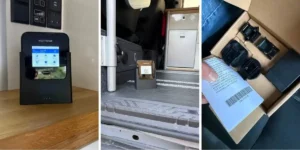
Accessories
The Nighthawk Mobile Hotspot Cradle
This keeps your Nighthawk charged and provides reliable wired connections for up to two devices, ensuring enhanced and stable internet performance. This gives it great visibility in the van and you can keep it handy so you always know where it is!
The Nighthawk Mobile Fast Charger
This charger is really fast/powerful. You can also use it for charging other USB-C devices – it’s one of the fastest chargers we’ve got.
Performance
You get the best use where there is strong 5G. The M7 Pro uses a modern 5G modem with carrier aggregation (there it is again), allowing it to make the most of strong 5G networks. In good coverage, it’s better than tethering or hot-spotting your phone.
So far we’ve had good 5G when camping, so we haven’t had a problem at all, even when face-timing and streaming the TV.
Unlike many travel hotspots, it includes:
- A 2.5 Gigabit Ethernet port
- USB-C connectivity
- Support for up to 64 devices
Is it worth it?
I don’t feel like we have yet put this device fully to the test. I can imagine that for families with older children, if you’re stuck in the caravan on a rainy day, this would be a godsend, allowing everyone to stream TV, games etc. especially if you’re trying to get some work done too.
We both work remotely so it’s really tempting to head off and work in the van, and this is absolutely perfect for that. A full days work in the van & then we have the sunny summer evenings in the Lake District to enjoy!
There are points to consider –
- It’s in the upper range price-wise when compared with most hotspots.
- You need strong 5G coverage to get the best use
- Wi-Fi 7 benefits require compatible client devices.
If you’re only connecting a laptop and a phone occasionally while travelling, a cheaper hotspot such as the M3 or M6 will often provide a very similar experience for much less money.
But – If your aim is to replace or supplement home broadband, or you want the fastest portable hotspot available, the M7 Pro is a really good option. For further information, head to the NETGEAR homepage here and don’t forget to sign up for their newsletter for discounts on your purchase!
By Sally Bendall
Images – Sally Bendall